Cutrail
Created at: July 4, 2026, last updated at: September 7, 2026
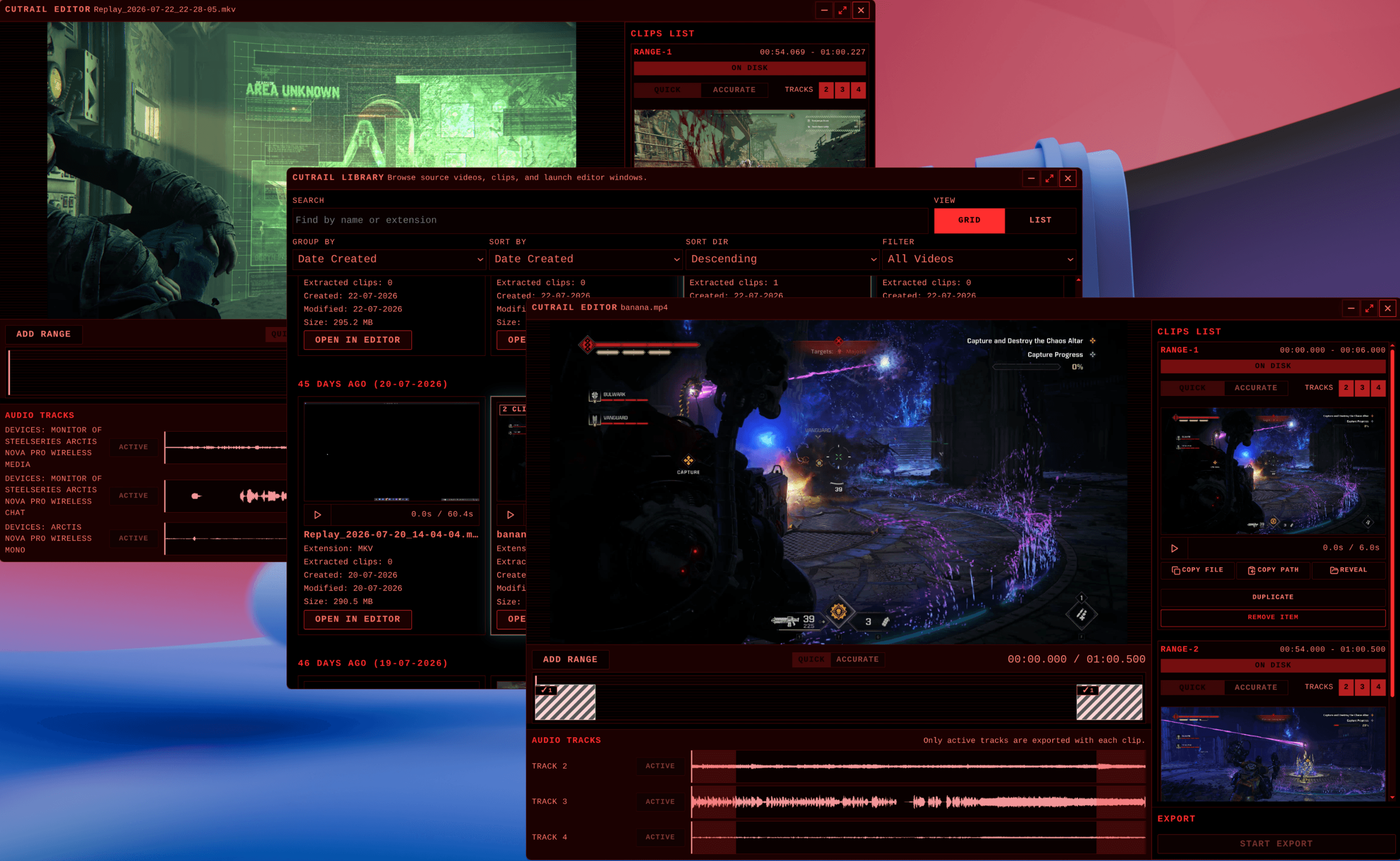
Cutrail exists to extract clips from a longer video quickly, without turning a short task into a video-editing project. Open a source, mark the parts worth keeping, and export them as separate files. It is a desktop utility for clipping, not a general-purpose editor.
The application pairs an editor with a library. The library scans a chosen source directory, groups source videos and Cutrail exports, and opens a selected source in its own editor window. Each editor stays independent, so several videos can be prepared at the same time.
Cutrail invokes FFmpeg as an external process for export and uses FFprobe to inspect the source. The app does not implement its own codec or encoding pipeline. Each range can use fast or accurate trimming, depending on whether speed or precise boundaries matter more.
Sources with multiple audio tracks can keep the useful tracks together. The editor exposes the tracks individually, and FFmpeg mixes every active track into the clip's output audio stream. Muting every track produces a silent export.